Creating Image

Upload your photo

Anime style

0/1500
16

Your anime

Converted from your photo

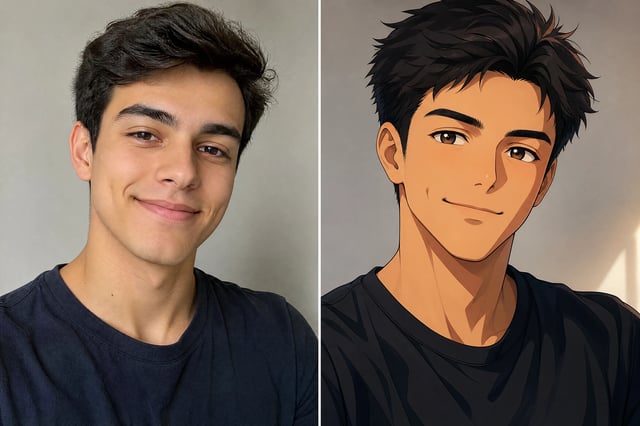
Before and after: a photo turned into a modern anime version

Photo to Anime — Turn Photos to Anime Art

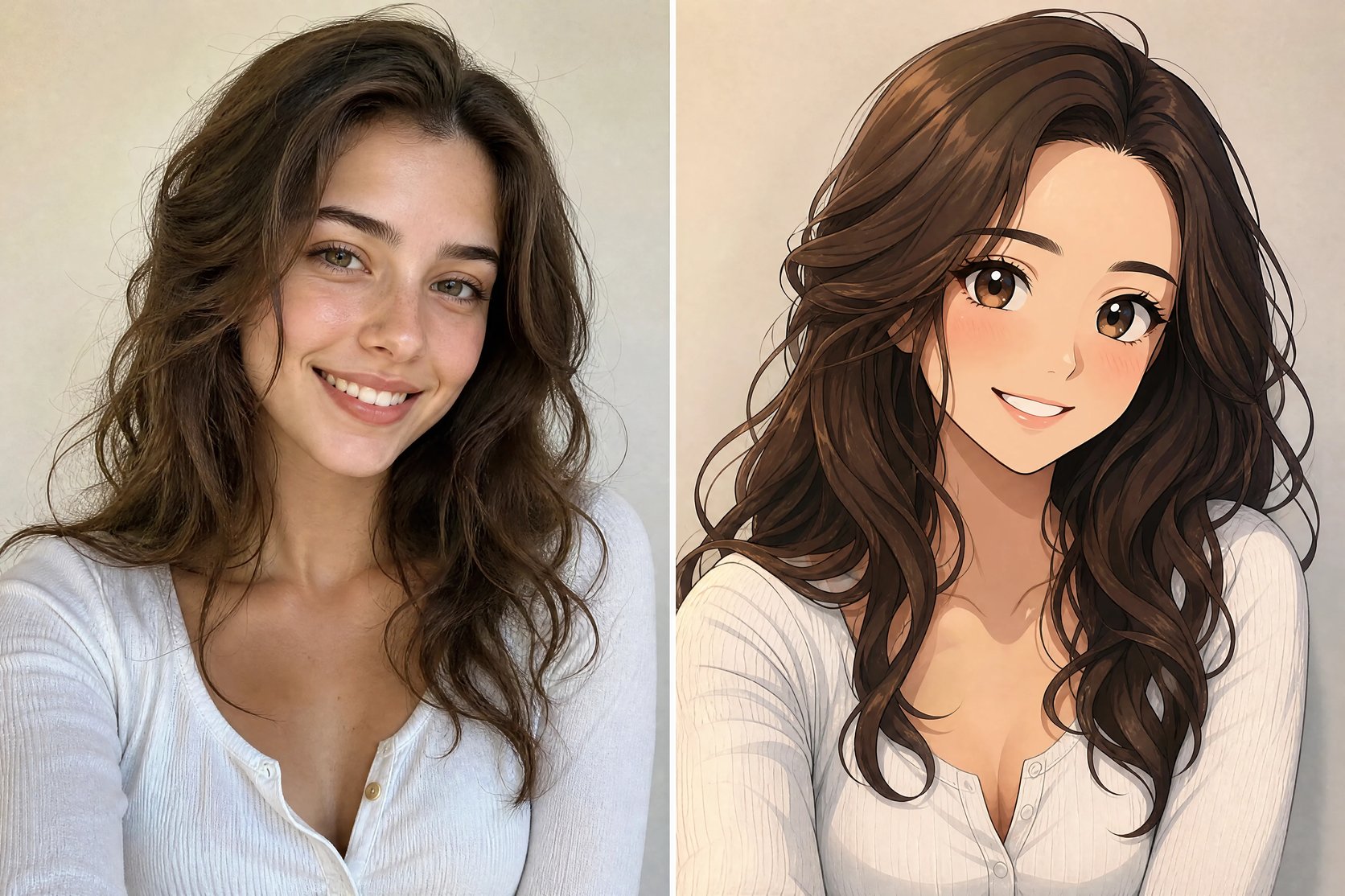
Upload a photo of yourself or a friend, and the photo to anime converter redraws it in anime style — keeping your face and likeness. Pick a style, compare before and after, and download your anime version — no drawing skills.
A photo of a woman turned into four anime styles — modern, street-pop, classic cel, and chibi

What is a photo to anime converter?

A photo to anime converter takes a photo and redraws it in anime style — keeping the face so the anime version still looks like you. Upload a selfie and the photo to anime converter re-renders it with clean anime line art, cel shading, and expressive eyes, in the style you pick. It works like the pillar image generator pointed at your own photo: instead of drawing an anime character from scratch, it restyles the person in your picture. You do not need drawing skills or a commissioned artist — you upload the photo and get an anime version back.
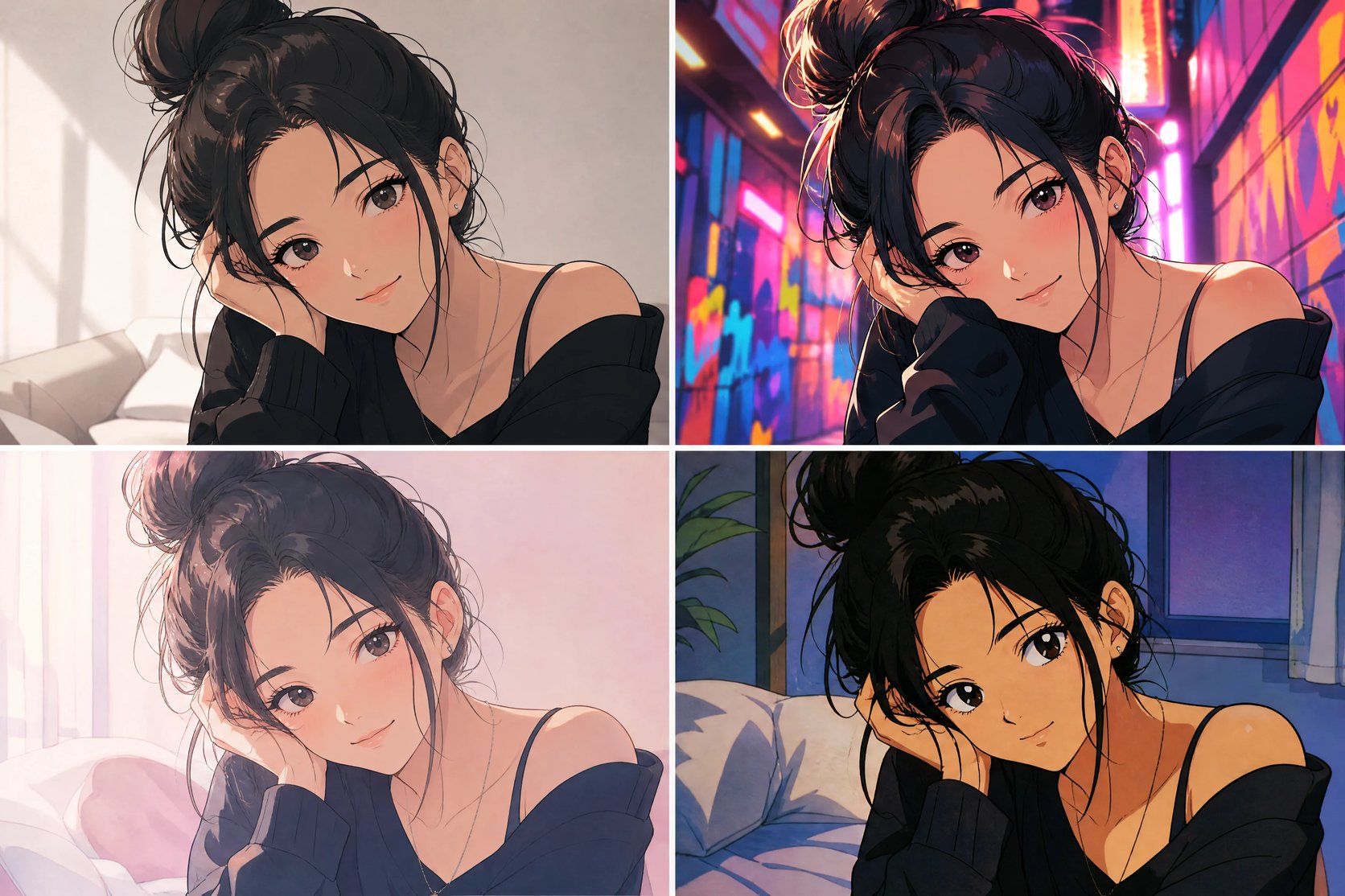
One photo shown converted into four different anime styles

Why use a photo to anime converter?

A custom anime version of yourself used to mean commissioning an artist — days of waiting and real money. A photo to anime converter gives you one in about a minute and lets you try several looks. Turn a selfie into a clean modern anime, a bold street-pop illustration, or a cute chibi, then keep the one that fits. Change the style and re-run to compare, and use your favorite as a profile picture, an avatar, or just for fun.
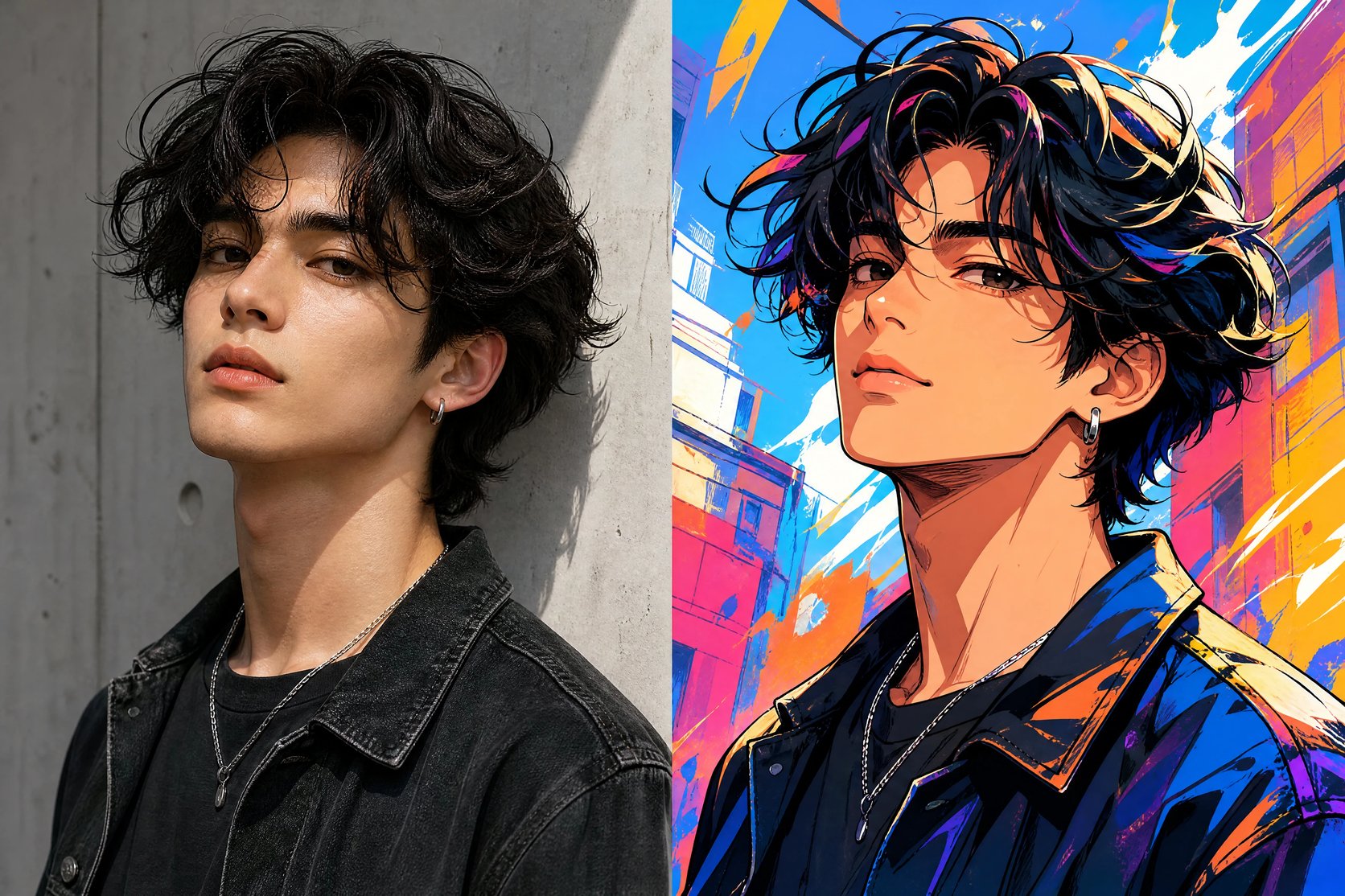
A photo converted into a vibrant street-pop anime illustration

Want to see yourself as anime — without drawing it?

You have wanted an anime version of yourself for a profile picture or just for fun, but you cannot draw it and commissioning an artist is slow and expensive. A photo to anime converter closes that gap: upload a photo, pick an anime style, and get an anime version of yourself in seconds. Try a few styles, keep the one you love, and download it.
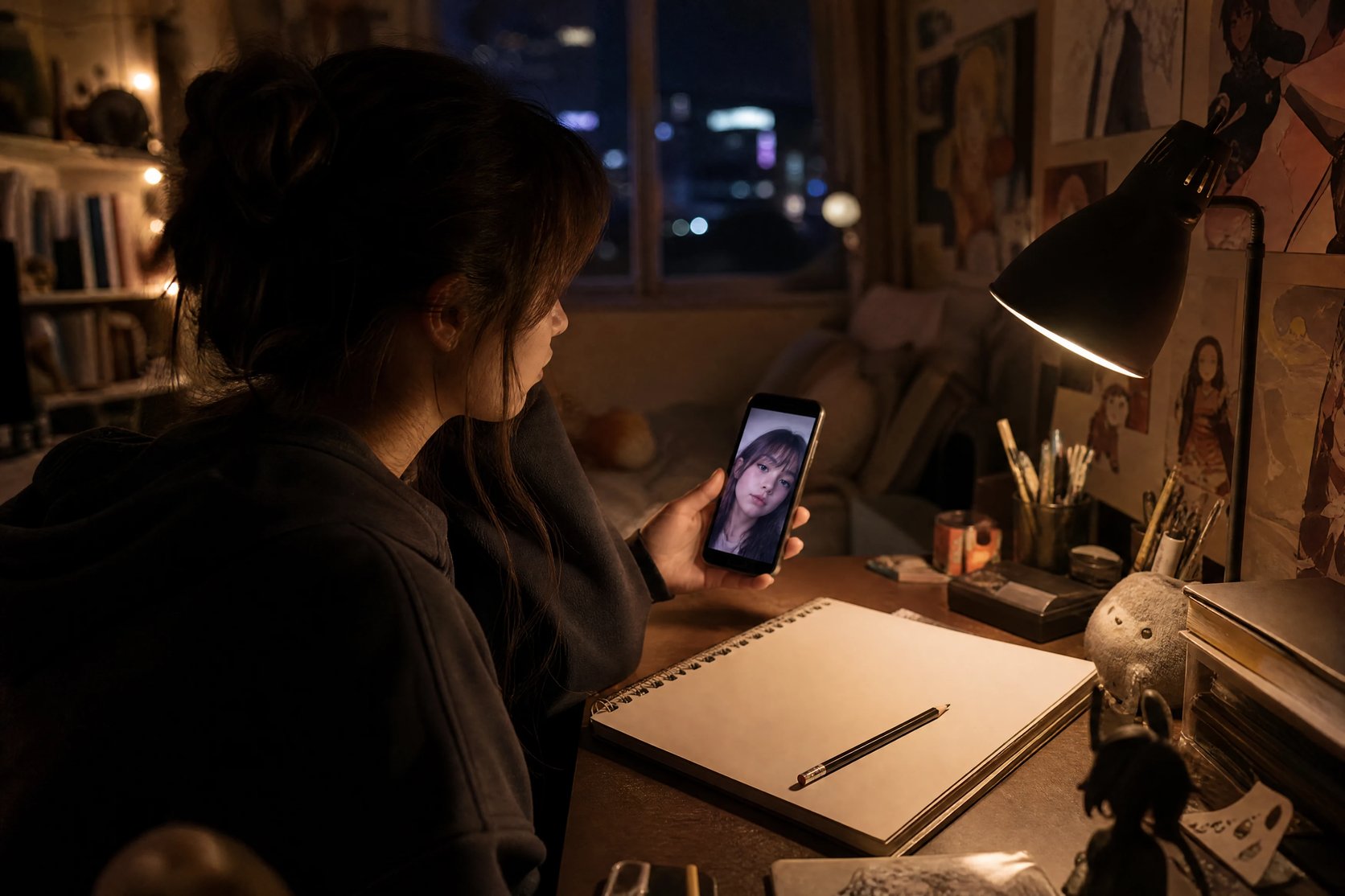
A person imagining their photo as an anime character

How to turn a photo into anime

Three steps from a photo to an anime version of you.

  1. 1

    Upload a photo

    Add a clear, front-facing photo of one person. Good lighting gives the cleanest anime result.

  2. 2

    Choose an anime style

    Pick modern, street-pop, classic cel, or chibi — or describe your own anime style.

  3. 3

    Convert and download

    The photo to anime converter redraws your photo in that style. Compare before and after, then download the anime version.

See yourself as anime

Upload one photo and turn it into an anime version of yourself in seconds.

More AI Image Generators

AI Thumbnail MakerCreate 16:9 video-cover images from a topic and visual brief.AI T-Shirt Design GeneratorCreate print-ready custom t-shirt graphics, vintage streetwear prints, and transparent apparel assets from text.AI Chibi GeneratorCreate cute anime chibi characters, Twitch stream emotes, and kawaii sticker designs.AI Instagram Ad Image GeneratorCreate static Instagram ad image drafts from effect presets and optional brief edits.AI Clothes ChangerSwap and try on outfits on any photo with natural fabric textures and facial preservation.AI Hairstyle ChangerTry bangs, a pixie or any style on your own photo before you cut.Haircut SimulatorSimulate any cut on your own photo before you commit.Bangs PreviewSee what you'd look like with bangs on your own photo.AI Beard GeneratorTry realistic beards, stubble, goatees, and mustaches on your photos online.AI Hair Color ChangerTry on realistic hair dye colors, highlights, blonde, and brunette shades online.AI Eyebrow FilterTry on natural arches, feather lamination, and microblading nano-strokes.AI Product Background GeneratorCreate studio-quality commercial product photos with realistic lighting and contact shadows.AI PFP GeneratorCreate a profile picture or avatar from a text prompt.AI Sticker GeneratorCreate a die-cut sticker from a text prompt.AI Anime GeneratorCreate anime and manga-style art from a text prompt.AI Poster GeneratorCreate a cinema, event, or business poster from a text prompt.AI Infographic GeneratorTurn raw notes and workflow steps into high-resolution visual infographic drafts.AI Flyer GeneratorCreate event, business, and promo flyer drafts from a short brief.AI Meme GeneratorCreate original meme-style still images, captions, and reaction drafts from a prompt.AI Business Card GeneratorCreate horizontal business card visual drafts from a short brand brief.AI Pattern GeneratorCreate a seamless, tileable pattern from a text prompt.AI Logo MakerGenerate a logo image from a text prompt — describe the brand, style, and colors.AI Art GeneratorTurn a text prompt into original AI artwork — any style, from painting to anime.AI Character GeneratorTurn a text description into original character art in any style.AI Influencer GeneratorCreate SFW virtual influencer profile and lifestyle images from a reference persona and prompt.Nano Banana 2Generate photorealistic, text-accurate images with the Nano Banana 2 model.Nano Banana ProGemini's top image model for text, edits and 4K detail.GPT Image 2Generate images with crisp, readable text using the GPT Image 2 model.AI Photo GeneratorGenerate photorealistic images from a text prompt — control light, lens, and mood.Realistic AI Image GeneratorGenerate hyper-detailed, render-grade images from a text prompt.AI Avatar GeneratorCreate a distinctive character avatar for games, streams, and profiles from text.Text to Image GeneratorTurn written prompts into finished images and learn to describe exactly what you want.AI Image to ImageTurn your own photo into a new version — restyle, relight, or reimagine it while keeping your subject.AI Photo EditorEdit your own photo with prompt-based AI changes while keeping the source recognizable.AI Headshot GeneratorTurn your own selfie into a studio-quality professional headshot — clean background, business attire, and flattering light.AI Drawing GeneratorGenerate sketches, line art, cartoons, and detailed illustrations from a text prompt.AI Tattoo GeneratorGenerate tattoo designs — fine-line, blackwork, neo-traditional, and illustrative styles — from a text prompt.AI Portrait GeneratorTurn your own photo into artistic portraits — oil painting, Renaissance, cyberpunk, and fantasy — while keeping your face.AI Icon GeneratorGenerate app icons, UI glyphs, and product marks from a text prompt — polished PNG icons, no design skills.AI Cartoon GeneratorTurn your own photo — or your pet's — into fun cartoons: 3D-animated, comic, anime, and caricature.Photo to SketchTurn your own photo — of a person or pet — into a pencil, charcoal, line-art, or colored-pencil sketch.AI Pixel Art GeneratorGenerate retro pixel art — sprites, characters, scenes, and 8-bit game icons — from a text prompt.AI Album Cover GeneratorGenerate release-ready square cover art for singles, EPs, and albums across genres — from a text prompt.AI Wallpaper GeneratorGenerate original phone wallpapers — gradients, nature, retrowave, minimal — from a text prompt, matched to your vibe.AI Coloring Page GeneratorGenerate printable black-and-white coloring pages of any theme — animals, dinosaurs, mandalas — from a text prompt.AI Book Cover GeneratorGenerate genre-fit book cover art — fantasy, romance, thriller, sci-fi — with your title and author name, from a text prompt.AI Comic GeneratorGenerate comic-style strips and pages — manga, American, webtoon — with panels and dialogue, from a text prompt.Colorize Black and White PhotosAdd realistic, natural color to an old black and white photo while keeping the face and every detail exactly.Caricature GeneratorTurn a photo into a fun, exaggerated caricature that still looks like the person — 3D, hand-drawn, or watercolor.Photo to Coloring PageTurn a photo of your kid, pet, or family into a clean, printable coloring page — bold outlines ready to color.AI Storyboard GeneratorTransform script scenes into cinematic 16:9 storyboard frames and visual pitch sketches.

AI photo to anime converter FAQ

Yes. The photo to anime converter restyles your own uploaded photo, so it needs one photo to work from — it redraws the person in your picture in anime style, rather than inventing a character from a text prompt.

It keeps your likeness, and how close it looks depends on your photo. A clear, well-lit, front-facing photo of a single person converts most recognizably; busy or low-light shots come out looser.

Modern anime, street-pop, classic cel, and chibi are built in, and you can also describe your own — a soft pastel look, a retro 90s cel look, and more.

No. The converter makes generic anime styles, not imitations of a trademarked studio or a named anime character. Describe a general look — clean modern anime, retro cel — rather than a specific franchise.

It works most cleanly on one clear subject. You can upload a group or a pet, but a single well-lit person converts most precisely; crowded scenes come out looser.

Yes. Converting a photo to anime runs on credits and needs you to be signed in, so you can try several styles and keep the ones you like.