
AI Image Combiner: Combine Two Images into One New Picture
Upload two photos or pictures, say how they should come together, and get one AI-generated image with shared lighting and perspective. The result is redrawn rather than stitched, so faces, labels and small details can change. For a side-by-side collage, use a regular photo editor.
Image 1
Image 2
How should they combine?
Your combined image
AI-generated illustration of how it works. Your new image appears here, next to the two photos you sent.
What Is an AI Image Combiner?
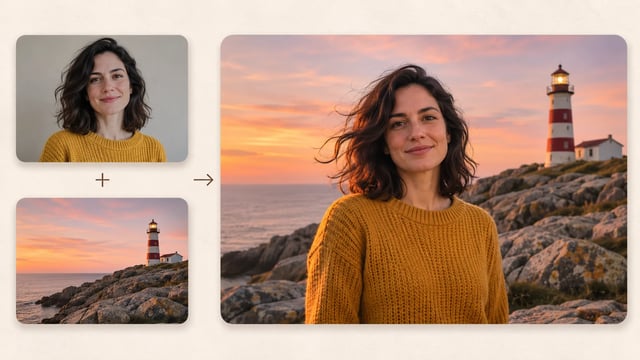
An AI image combiner is an image-to-image tool that takes two uploaded pictures, such as two people, a character and a background, or a product and a room, and generates one new image that blends them with shared lighting and perspective. Because the result is redrawn, likeness and small details are not guaranteed.
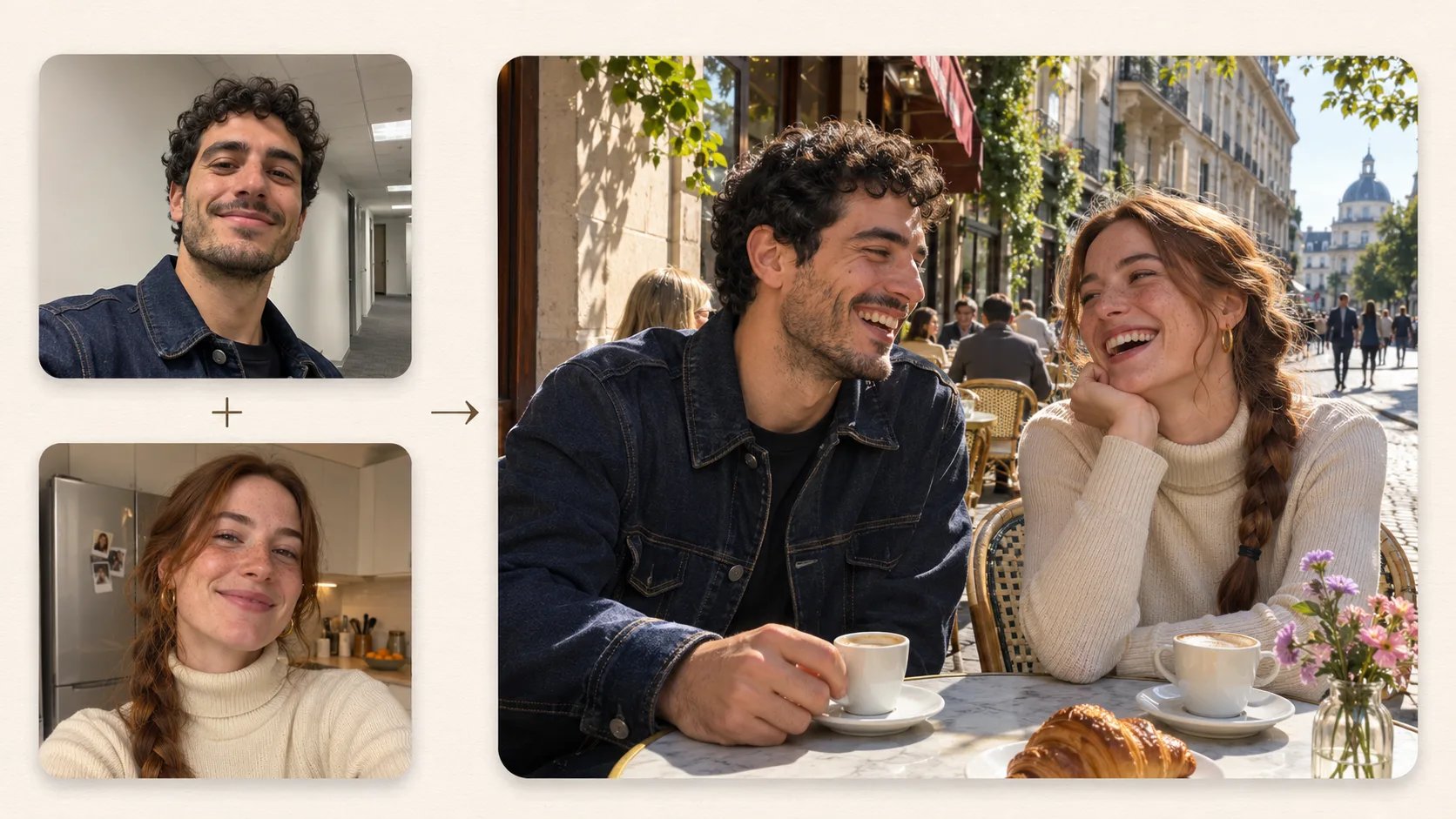
Put Two People Who Were Never Photographed Together in One Scene
Upload a photo of each person and describe where they are. The result is a new AI photo with one light source, so it looks less pasted on. Faces are redrawn, so compare them with the originals and generate again if someone looks off.
- Use sharp, front-facing photos with large faces
- Name the scene, the pose and the light in your prompt
- Generate again if a face drifts from the original
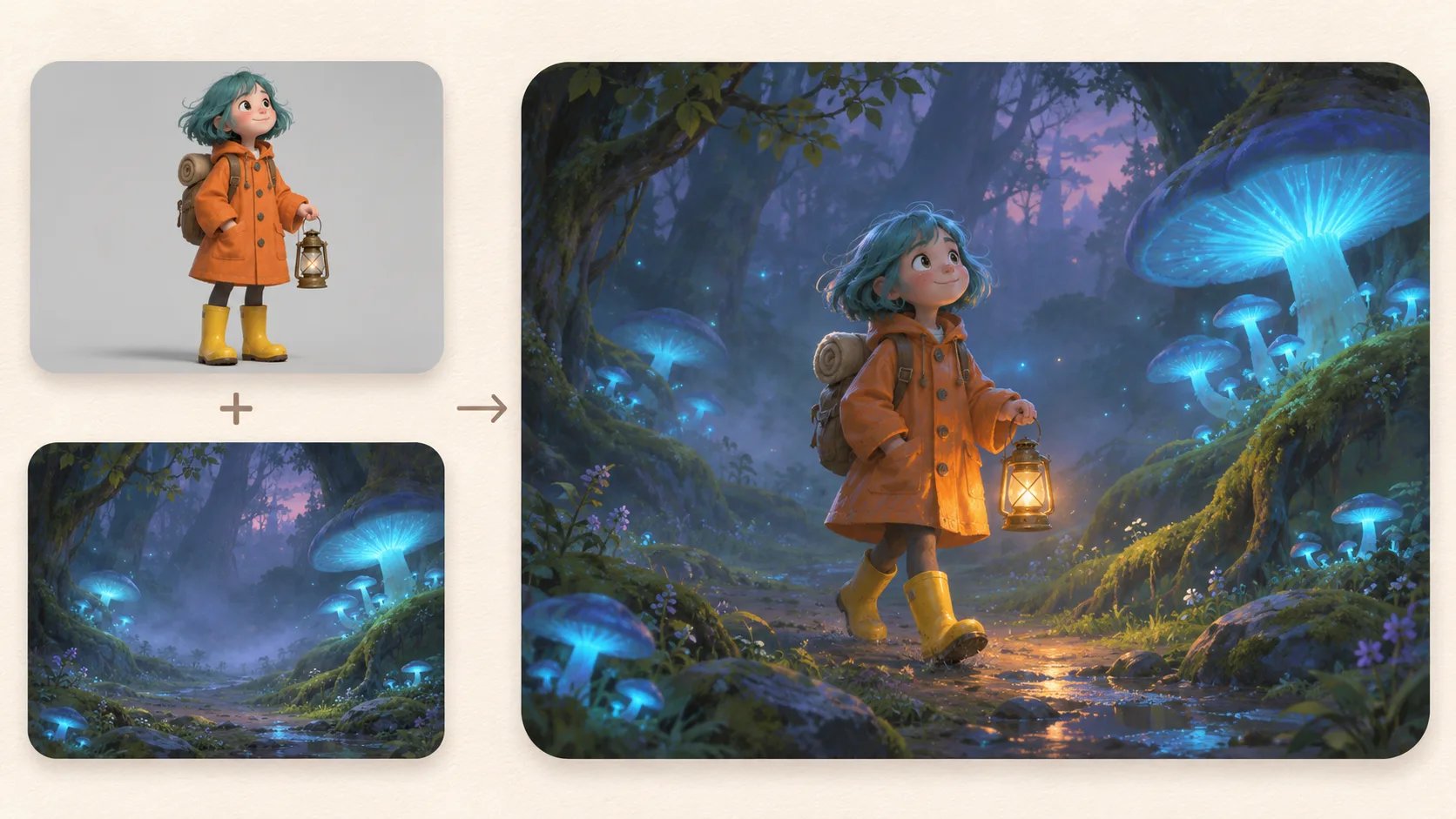
Drop a Character into a Background You Already Have
Put your original character, mascot or game art into a scene image. The model matches the scene's lighting and rendering style, so the character looks painted into the world instead of cut out and laid on top.
- Image 1 is the character, Image 2 is the place
- Works for illustrations as well as photos
- Use only characters you made or have the rights to
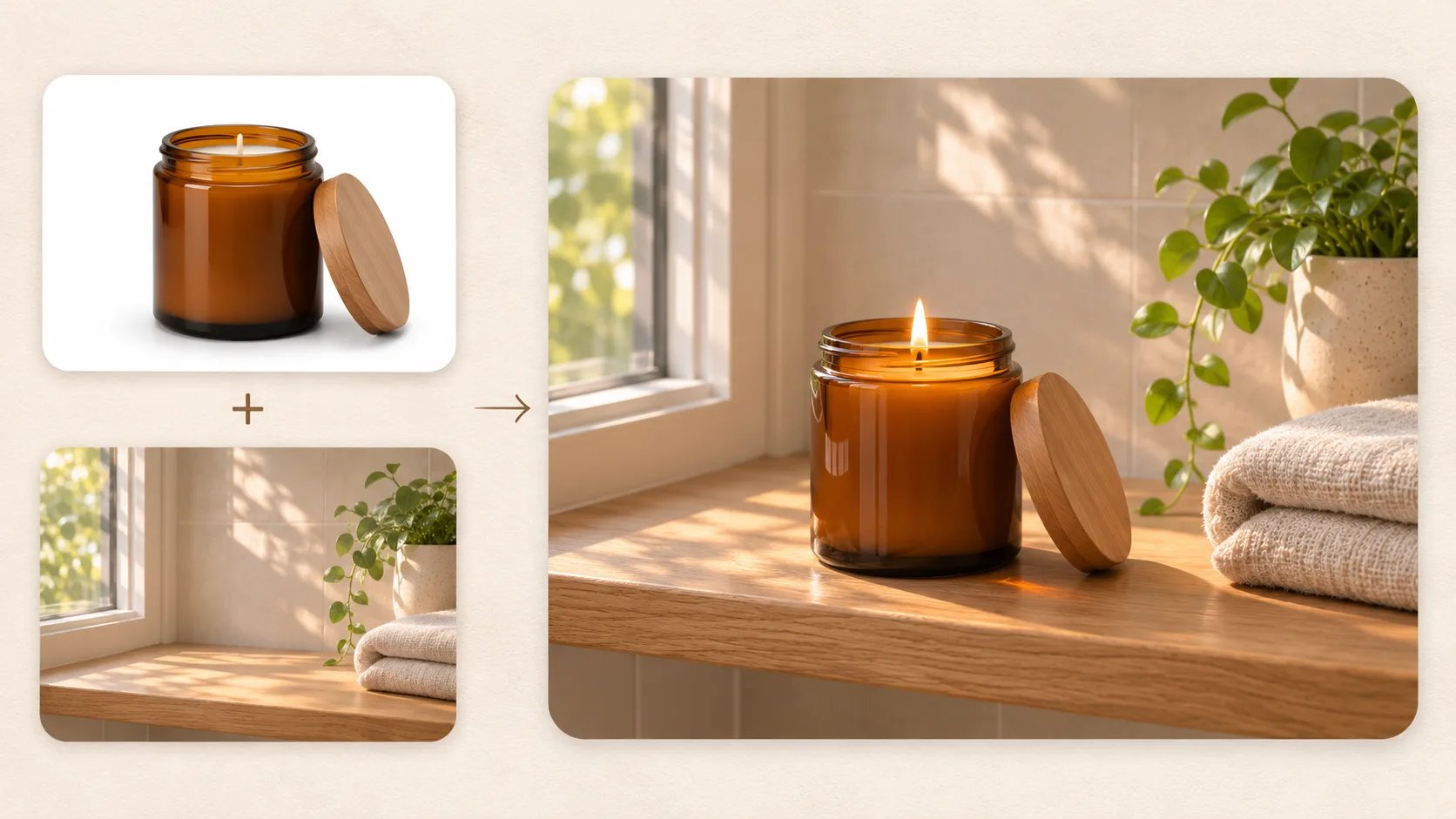
Place a Product into a Lifestyle Scene
Combine a plain product shot with a room or shelf photo to draft lifestyle and social images. Labels, logos and small text can be redrawn, so check them closely and keep your real product photo for listings that require one.
- Start from a clean product photo on a plain background
- Check labels and text before you publish
- Use results for mood and social images, not main listings
How to Combine Two Images with AI
- 1
Upload Image 1 and Image 2
Add the two pictures you want to combine. Order matters: the presets treat Image 1 as the subject and Image 2 as the scene, second person or style, so upload them in that order.
- 2
Describe how they come together
Pick a preset or write your own prompt: where people stand, what the light looks like and what must stay the same. Check the credit cost in the model selector, sign in and generate.
- 3
Compare, then download
Look at the result next to both originals. If a face, label or detail is off, adjust the prompt or generate again, then download the version you like.
Combine Two Pictures into One New Image
Pick two photos, say how they belong together and see them in one scene with matching light. Keep it only if it still looks right to you.
Combine my imagesTo restyle or edit a single photo, use AI Image to Image. To put one product on a new backdrop, try the AI Product Background Generator.