
Upload Portrait to Try Brow Shapes
Select Eyebrow Style Preset
Real-Time AI Brow Transformation
Preview natural arches and nano hair strokes with zero commitment
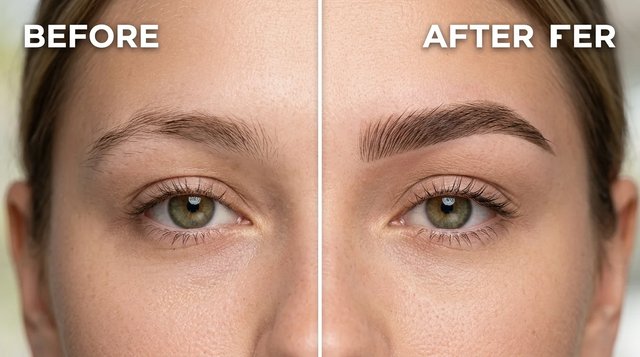
AI Eyebrow Filter — Virtual Brow Try-On
Simulate realistic eyebrow shapes, feather lamination, and microblading pre-draws on personal photos with lifelike hair-by-hair texture.
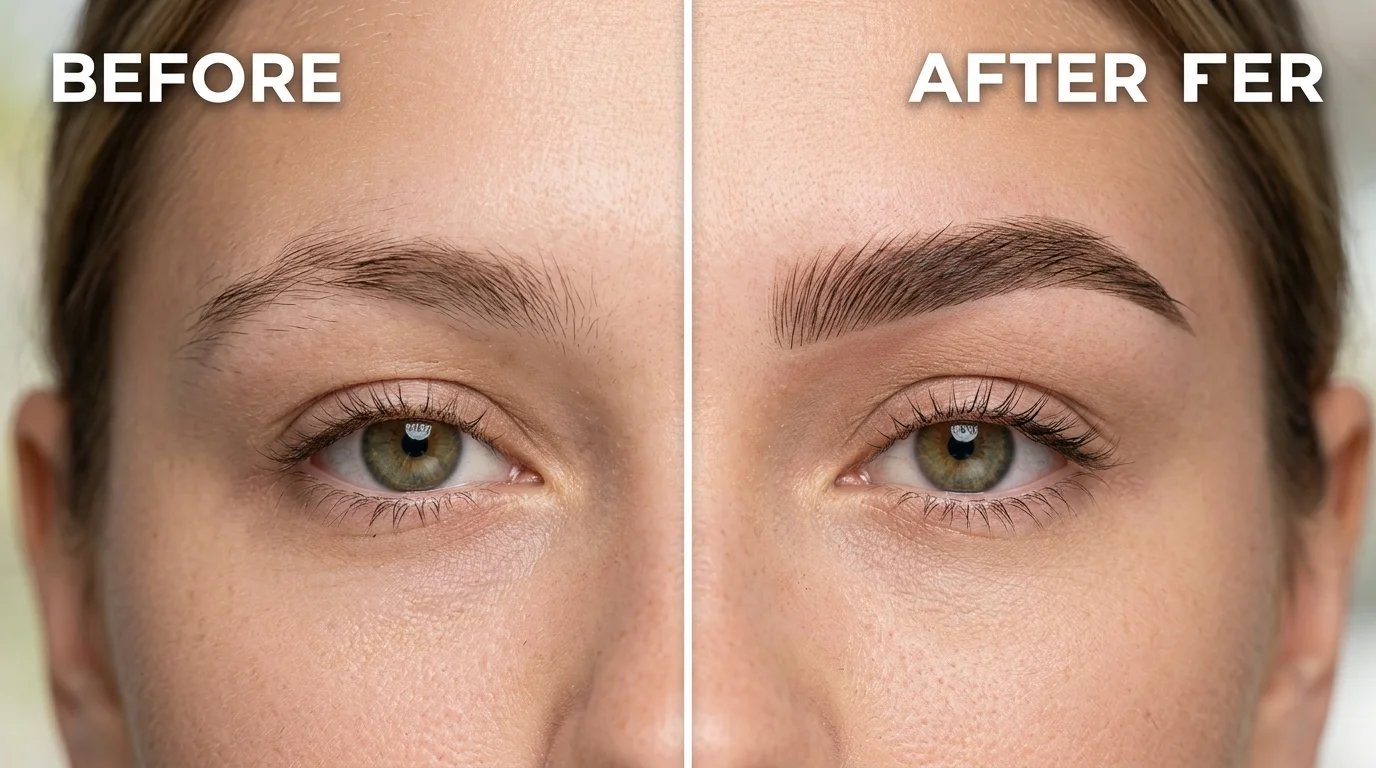
What is an AI Eyebrow Filter?
An AI eyebrow filter is an algorithmic image-editing application that maps facial bone geometry and superimposes hyper-realistic brow shapes, microbladed nano-strokes, or lamination textures onto portrait photographs. The technology enables risk-free aesthetic simulation without permanent skin incisions, chemical tints, or irreversible eyebrow plucking.
Traditional 2D filter overlays often produce blocky, rigid lines that distort facial balance and create unrealistic expectations. This advanced neural rendering pipeline isolates individual hair follicles and simulates natural brow growth patterns, accounting for skin undertones, lighting angles, and orbital bone curvature.
Whether preparing for professional microblading consultations, ombre powder brows, or simply testing new makeup aesthetics, the tool provides high-fidelity visual proofs to eliminate pre-procedure anxiety and prevent over-grooming mistakes.
Engineered for Authentic Brow Styling
Discover how deep neural mapping delivers realistic, salon-grade brow transformations in seconds.
Individual Nano-Stroke Texture
Renders ultra-fine, single-hair strands that blend seamlessly into sparse areas rather than flat, opaque color blocks.
Anatomical Brow Mapping
Aligns the brow head, arch, and tail with individual orbital bone contours for proportional harmony.
Zero-Risk Pre-Draw Simulator
Test subtle arches or bold laminations before committing to permanent microblading or tattooing.
Diverse Style & Tint Library
Instantly preview Korean straight brows, high glam arches, fluffy laminated styles, and bleached platinum looks.
Asymmetry Balancing
Visually balance uneven brow heights and sparse patches while retaining authentic facial expressions.
High-Res Salon Consultation Export
Download crisp, uncompressed comparison photos ready to share directly with brow artists and estheticians.
How to Try on Eyebrow Shapes with AI
Transform facial brow aesthetics in three quick steps with instant interactive rendering.
1. Upload a Clear Portrait
Select a well-lit, front-facing photo showing unobstructed eyebrows and natural facial features.
2. Choose a Brow Preset or Custom Prompt
Pick from soft arches, fluffy lamination, or microblade strokes, or refine density and tint in the prompt.
3. Generate & Download High-Res Result
Preview the realistic hair texture transformation instantly and download the image for beauty consultations.
Frequently Asked Questions
Answers to common questions regarding AI brow filtering, microblading pre-draws, and image privacy.
Find Your Perfect Eyebrow Shape Today
Upload a photo now to test feather lamination, soft arches, and microblading strokes with zero commitment.